Presets are really useful. You can either use what is available, tune it further or create your own. Below are some quick links to get you started:
Creating Your own Presets
Thought I gave you the link instead of reinventing the wheel.
1. Youtube Walk through if you are lazy to read
2. Taken from DPS if you like to read
Read Made Presets
1. PresetsHeaven - the biggest resource for free “high quality” Lightroom presets on the Internet
2. Adobe Photoshop Lightroom Killer Tips Website Presets
How to Install and Manage Presets
1. Pro Photo Website tips on managing your presets like a fanatic
Showing posts with label lightroom. Show all posts
Showing posts with label lightroom. Show all posts
Sunday, February 28, 2010


Tuesday, March 31, 2009
Lightroom 2 Nikon Color Preset
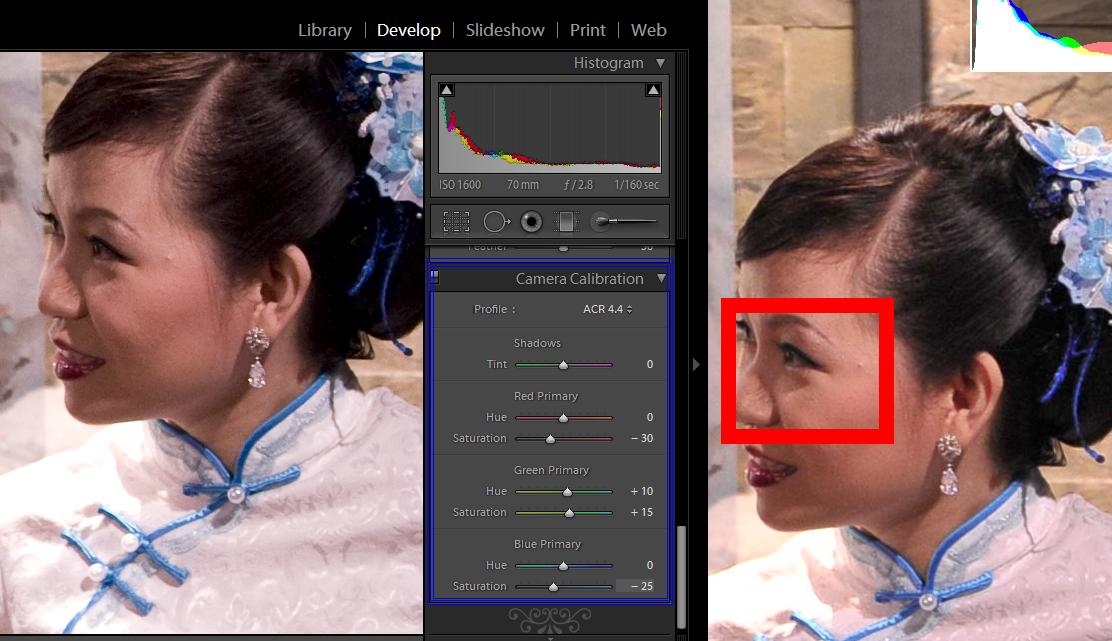 Camera calibration setting within Lightroom 2 by comparing against View NX
Profile: ACR 4.4
Shadows: 0
Red Primary
Hue: 0
Saturation: -30
Green Primary
Hue: +10
Saturation: +15
Blue Primary
Hue: 0
Saturation: -25
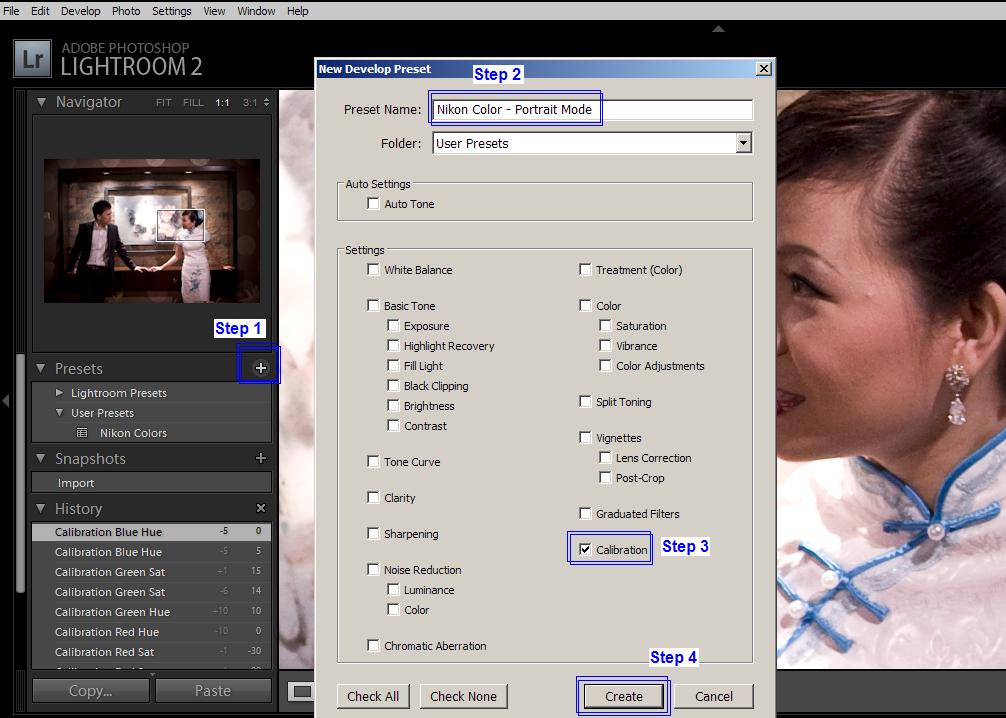
Please note that the above adjustments were done according to my own preference. You can use the adjustments above as a base for further fine tuning to your liking. Once you are done you can save this adjustments as a preset which would enable you to apply changes on a global level / to a batch of images. Follow the image below to create a preset.
Subscribe to:
Posts (Atom)


 Posts
Posts


